For security reasons User has to Whitelist the Org ID and the Domain of the storefront. Navigate to “https://admin.artifi.net/” in your browser to open the Artifi dashboard and log in using the credentials provided by the Artifi team. In the dashboard, click on the Admin tab, and a drop-down menu will appear click on in drop-down menu click on Website. Click on the Add New button at the top right corner
A form will open where you need to enter the details of your storefront as described in the below snapshot. In case you have multiple subdomains click on the Add More button and fill in the details of that as well.
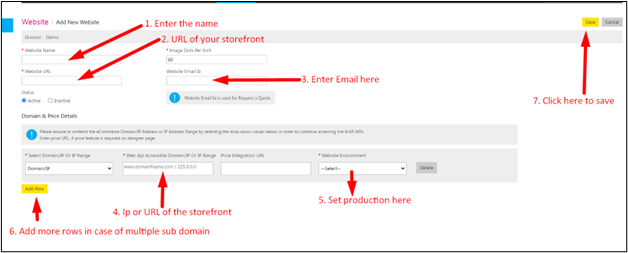
We need to add the 3 major URLs in order to work with the package:
1. Website URL
- This can be found under the Salesforce setup → Digital Experiences → All sites → Copy the appropriate webstore URL from here. And whitelist it on the Artifi Portal
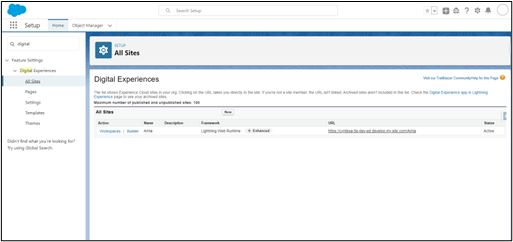
2. Salesforce CRM URL
- This can be found under the Salesforce setup → Domains → Here, you need to copy the Salesforce domain URL. And whitelist it on the Artifi Portal
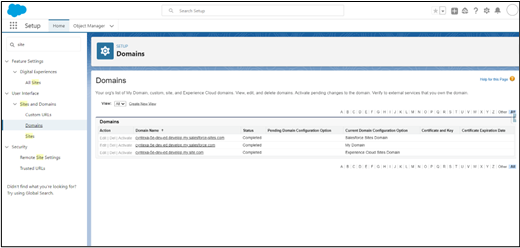
3. Salesforce Org IP Address
- Contact with Salesforce to get the IPs of that instance of theirs and add them to Artifi’s portal to whitelist it.