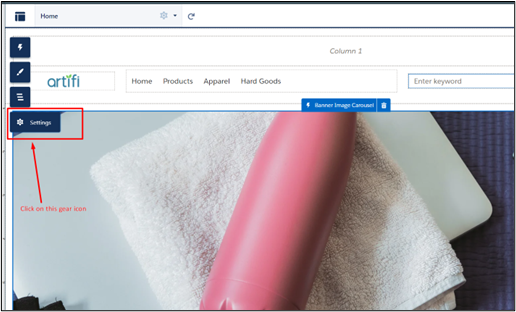
In the experience builder click on the gear icon at the left
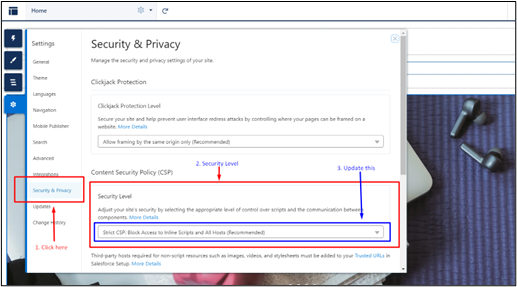
- In Settings, click on Security & Privacy, and in this section, under Content Security Policy, update the Security Level and set it to “Relaxed CSP:
- Permit Access to Inline Scripts and Allowed Hosts”
We need to bind the version key of the experience builder to link the static resource with the experience builder in the runtime
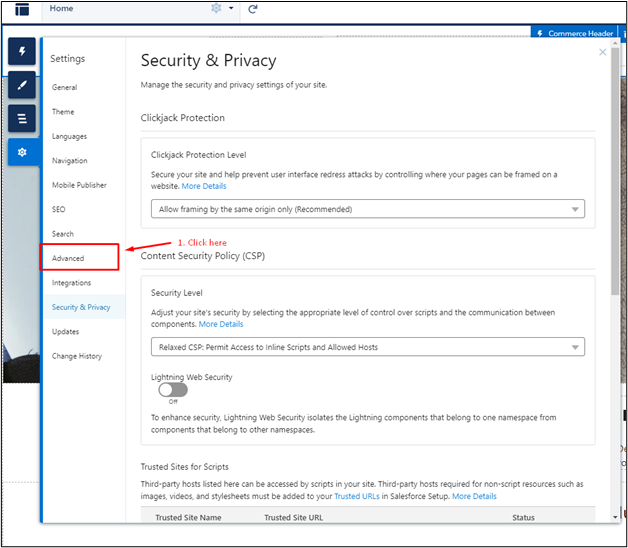
3. Click on the Advanced in the Settings section
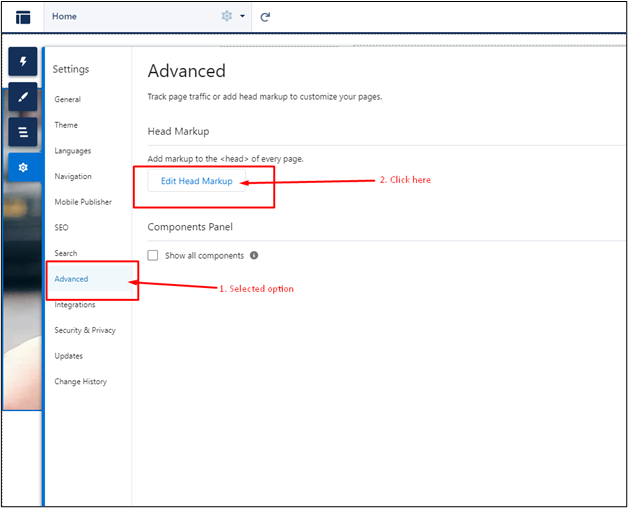
4. In the Advanced Tab, click on Edit Head Markup
5. Now in head markup, check if you already have a script tag.
- If you already have a script tag in it, then paste “window.experienceBuilderVersionKey = '{ versionKey }'; “ in it.
- If you don’t have a script tag then paste the “<script>window.experienceBuilderVersionKey = '{ versionKey }';</script>”
