To provide personalization on products, Artifi needs to access certain URLs to call the API and show the personalized product images that are not hosted on Salesforce.
- Click the gear icon in the top right corner and then click on Setup.
- In the Setup, search Remote Site Settings in the quick find box and add the following URLs to it.
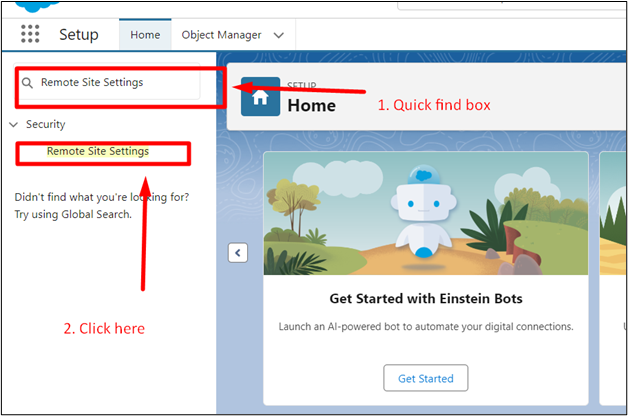
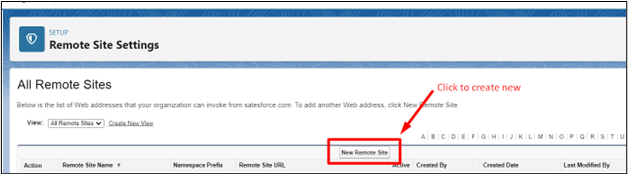
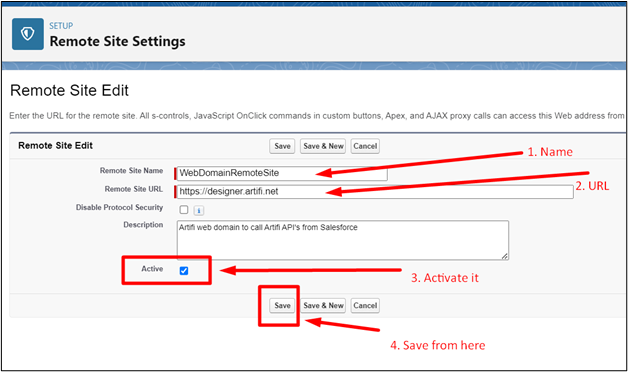
The following remote site settings need to be added:
| Site Name | Endpoint URL | Description |
| ArtifiDomainName | https://designer.artifi.net | Artifi Domain URL |
| ArtifiWebDomainName | https://component.artifi.net | Artifi Web Domain URL |
| RecorderComponentBased | https://api.artifi.net | Artifi Endpoint for Recorder through a component-based approach |
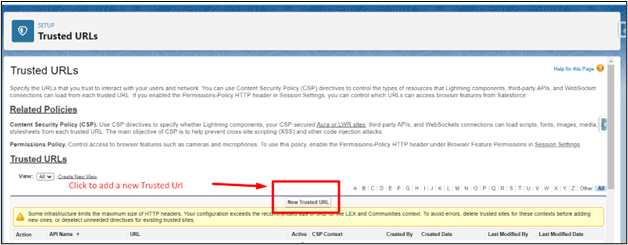
- In the Setup, search Trusted Urls in the quick find box and add the following URLs to it:
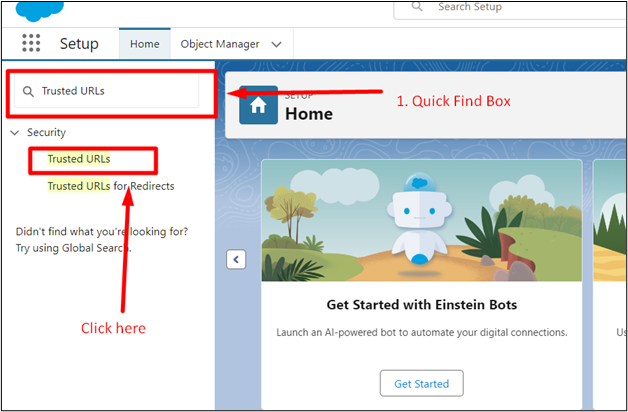
- Click on the New Trusted URL to add a new one.
- Add the URLs.
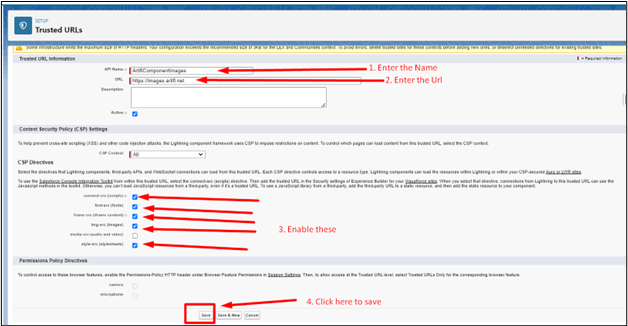
Repeat these steps to add the following URLs to trusted sites
- ImageLab
| Site Name | Endpoint URL |
| ArtifiImages | https://stageimages.artifi.net |
| Artifi_test_script | https://api.cquotient.com/ |
| ImageLab | https://imagelab.artifi.net |
| Reactstage_artifi_net | https://reactstage.artifi.net |
| S3_amazonaws_com | https://s3.amazonaws.com |
| ShopifyDemoStore | https://s3.amazonaws.com |
| Image_URL 1 | https://images.artifi.net |