- Download the scripts from the links below:
- Script 1: Headless.js
- Script 2: SAAS Integration
- Script 3: JQuery
- Click the gear icon on the top right corner and then click on the Setup.
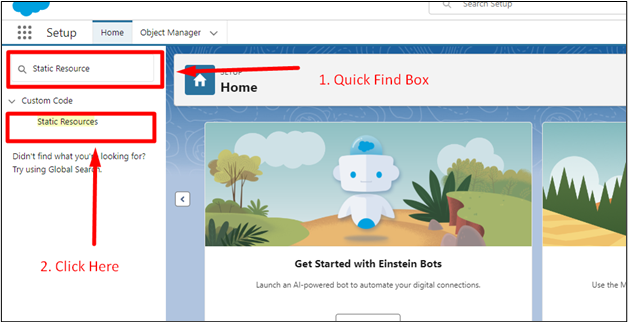
- In the setup, search for Static Resource in the quick find box.
- Click New to add a new Static Resource

- Enter the Details and upload the files.
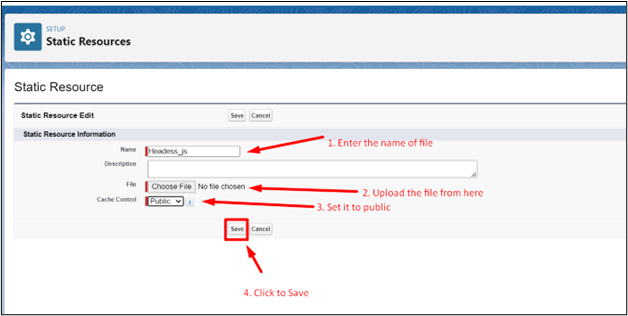
- Repeat all these steps to create a Static Resource for the files provided.