We need to update the field OptionsCartCalculateEnabled on the Webstore object to add personalized products to the cart seamlessly
- Go to developer console => Query Editor => then execute the query “SELECT ID, OptionsCartCalculateEnabled from Webstore WHERE Id = ‘{yourWebstoreId}’”.
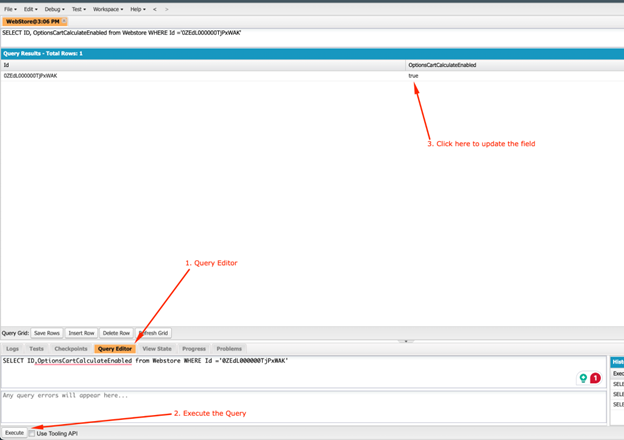
- Then click on the value of the field OptionsCartCalculateEnabled; that true value will be converted into a checkbox. uncheck it and save the changes.
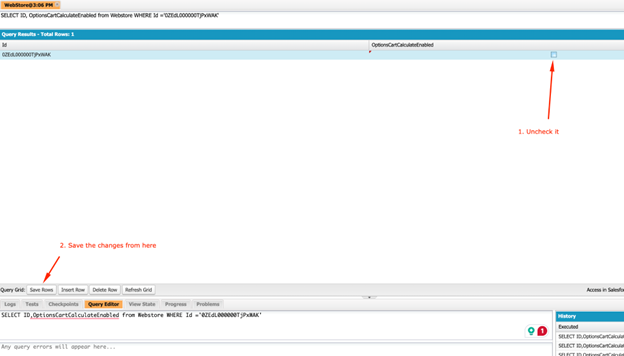
Or you can use salesforce an extension as follows:
- Install the Salesforce Inspector Reloaded extension in your browser.
- Open the Webstore record Page that you want to configure with Artifi.
- You’ll see an arrow stick to the middle right of your screen; click on it and then click “Show all data.”
- Now search for “OptionsCartCalculateEnabled” in the “Field API name” column.
- Now set its value to false in the Value column by double-clicking on the respective row of this column, remove the true type false at this place, and hit save.