We need to create Custom Settings records to map color names with their hex code and to display color attributes in the form of swatches instead of color names.
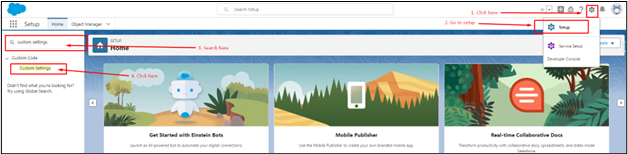
- Click on the gear icon at the top right corner and click on Setup.
- In setup, type “Custom Settings” in the quick-find box.
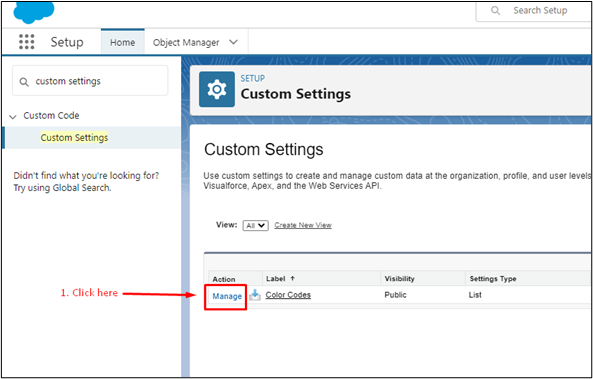
- In Custom Settings, click on Manage action before the label “Color_Codes.” Once you click on it, you’ll be redirected to the Custom Settings setup page.
- To create a new record.
- Click on the New button.
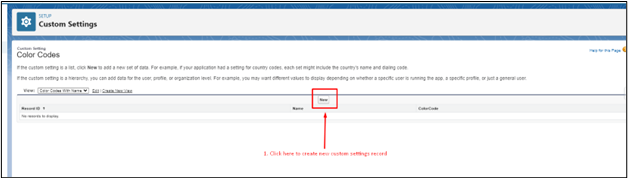
- Once clicked on New, a form will open where you need to fill in the Color name and Its hex code. After filling it, hit the save button. (NOTE: Do not remove # from the prefix of the hex code).
- Repeat the same steps to create a record for all the colors you have created in the Color picklist (the field name can be different, but it is the field that is created for the color attribute) on the Product Attribute object.