This package provides you with two permission sets to grant access to Artifi's add-on functionality to both portal and admin users.
-Artifi Personalization: for B2B Portal users only.
-Artifi Configuration Admin: for Admin users only.
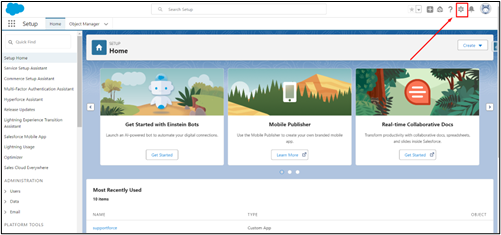
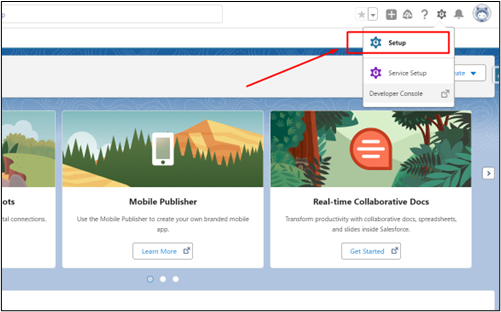
- Click the gear icon in the top right corner and then click on Setup.
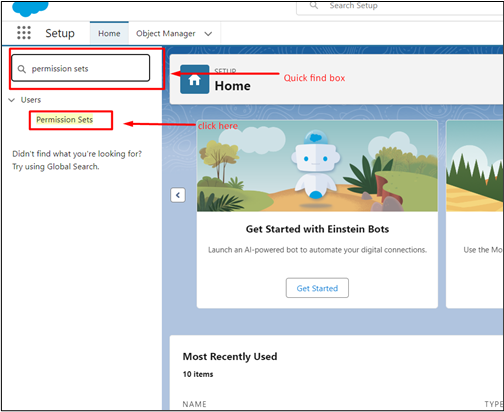
- In the setup, search for Permission Sets in the quick find box.
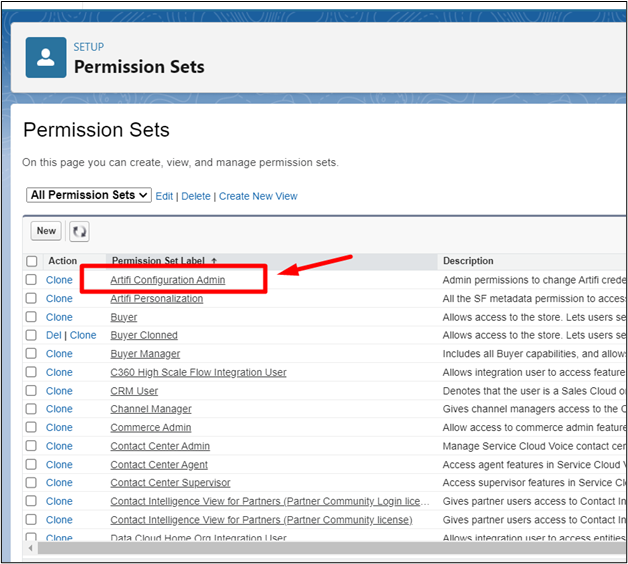
- Now assign Artifi Personalization to portal users and Artifi Configuration Admin to the commerce admin.
- In permission sets, click on Artifi Personalization.
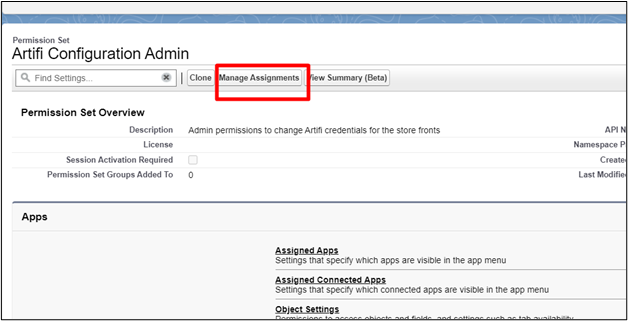
- Click on Manage Assignments.
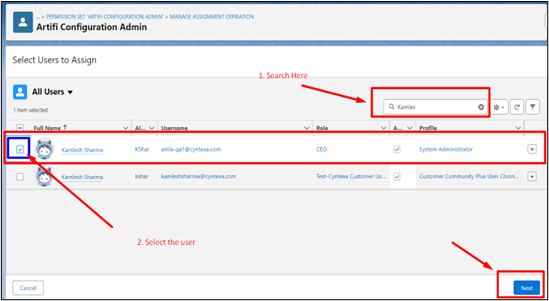
- Search for your admin user and hit Next.
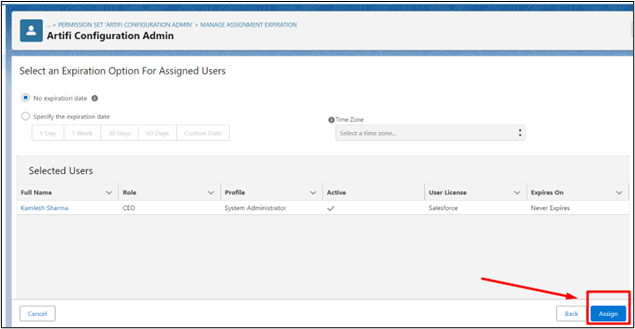
- Click on Assign to assign the Permission set.
- Now, repeat the same steps to assign the Artifi Personalization permission set to portal users.