Thank you for subscribing and installing the Artifi app. We’re excited to partner with you in growing your business.
Our aim is to provide a seamless onboarding experience and ensure you have everything you need to get the most out of your subscription. If you need assistance at any time, please contact us at support@artifilabs.com . Let’s get started!
Your SaaS Artifi account will be activated with a base configuration within 24 hours of your subscription. A confirmation email will be sent to the address linked to your Magento account.
Once you have received this information, return to the Onboarding tab in the Artifi app to complete the remaining steps to configure and activate Artifi for your Magento store.
Connecting Artifi App with Magento Connector
1. In your Magento admin, navigate to store menu from left panel and select configuration
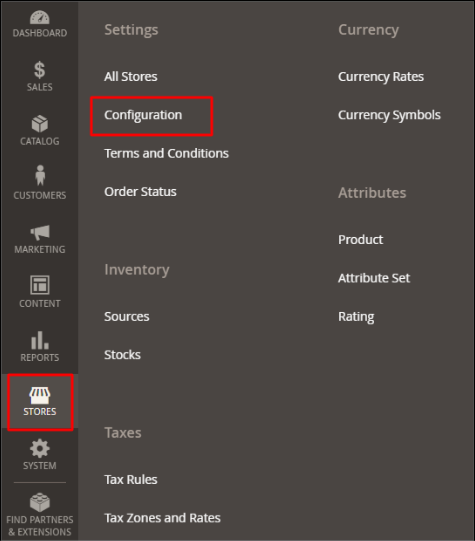
2. Click the configuration link, and then Artifi Product Personalization tab will appear under the Catalog section, below the General section.
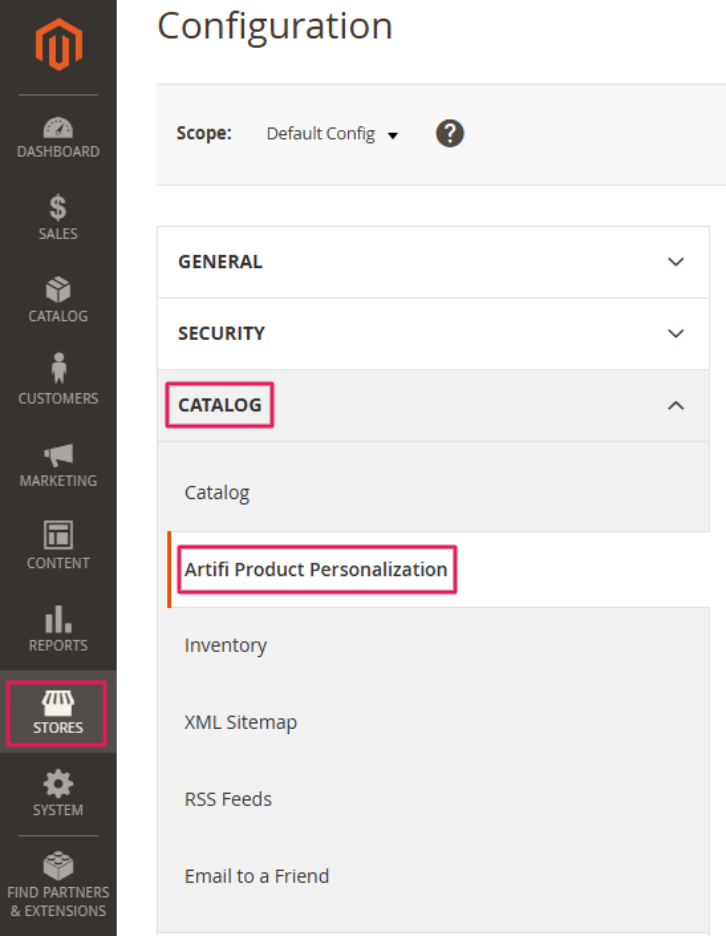
3. In Artifi App Setting tab to add Artifi credentials and Domain urls.
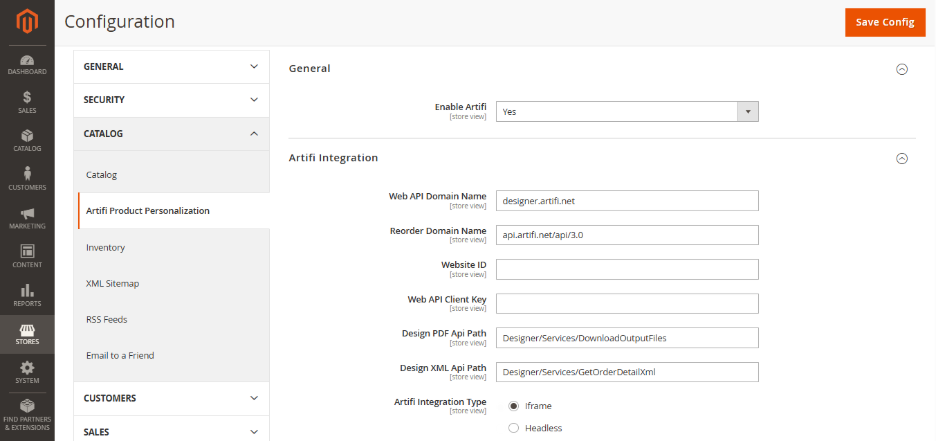
4. Artifi will provide the Website Id and Web Api Client Key. All other configuration fields are pre-filled but can be adjusted to suit your preferences.
5. Enter the following URLs based on your environment:
No need to make changes in ‘Design PDF Api Path’ And ‘Design XML Api Path’.
a. Production environment URLs:
- Web API Domain Name: designer.artifi.net
- Reorder Domain Name: api.artifi.net/api/3
b. Non-Production environment URLs:
- Web API Domain Name: integrationdesigner.artifi.net
- Reorder Domain Name: integrationapi.artifi.net/api/3
6. Choose Artifi Integration Type Iframe
7. Click Save to store your settings.